
Manage Jobs, Teams & Schedules — Without the Chaos
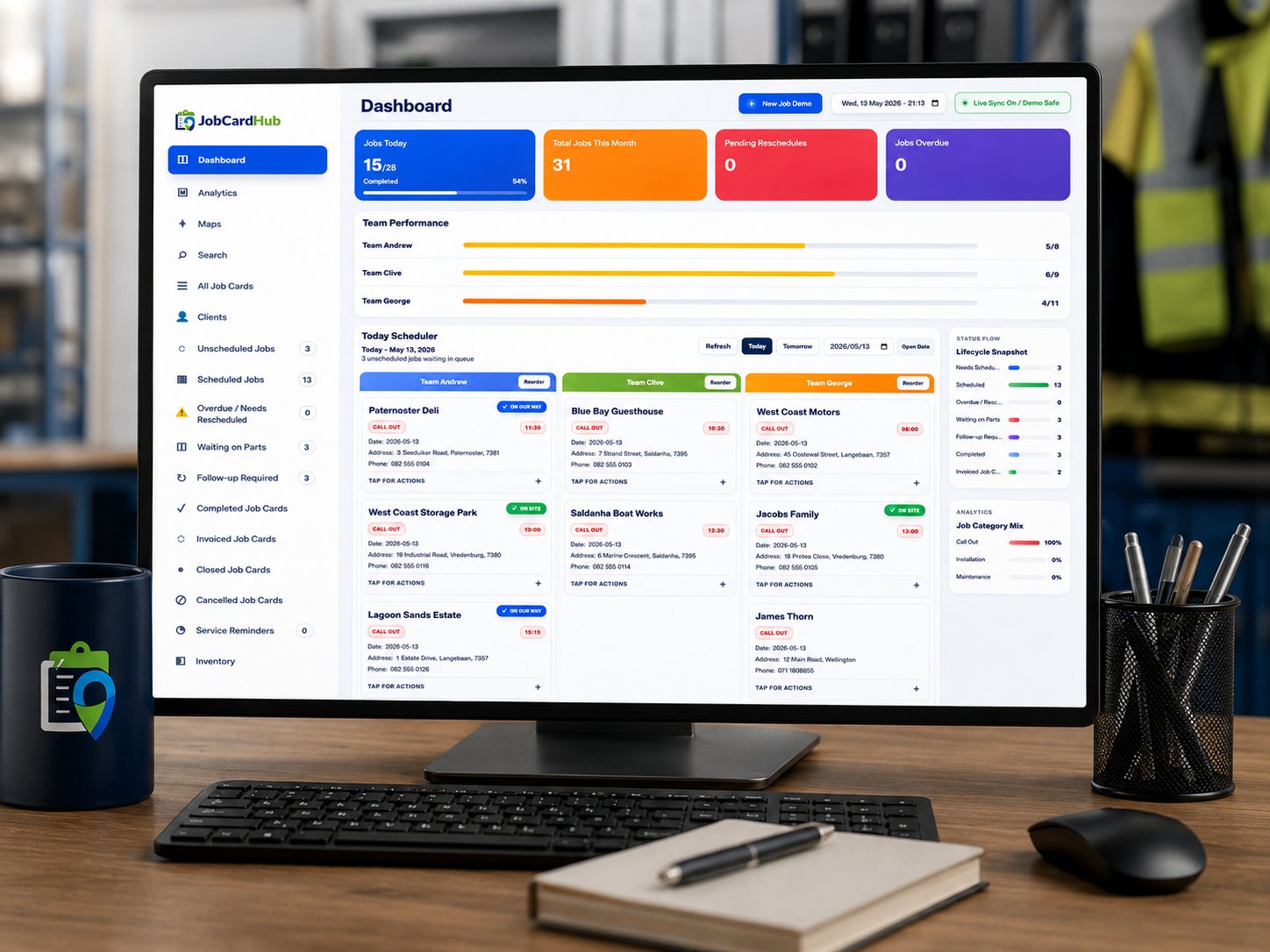
JobCardHub is cloud-based business management software for trade and service businesses in South Africa. Create digital and online job cards, schedule teams, manage technicians with a simple technician app, capture customer signatures, and turn completed work into quotes and invoices.
Built for small and medium trade businesses in South Africa — online job cards, technician workflows, scheduling, quoting and invoicing in one system.
Still running jobs from paper, WhatsApp, and memory?
That is exactly where missed jobs, unclear technician updates, lost customer details, and forgotten follow-ups start. JobCardHub gives your business one clean system from first call-out to quote, invoice, follow-up, and closed job.
- Jobs get missed or double-booked.
- The office chases technician updates.
- Customer details and follow-ups fall through the cracks.
Paper job cards get lost
Stop relying on books, scraps of paper, and incomplete job notes.
WhatsApp becomes messy
Keep photos, updates, addresses, signatures, and job history in one system.
Jobs get missed
See unscheduled, scheduled, overdue, follow-up, and waiting-on-parts jobs clearly.
Invoicing gets delayed
Turn completed job cards into quotations or invoices without retyping the same job details.
Teams need clear instructions
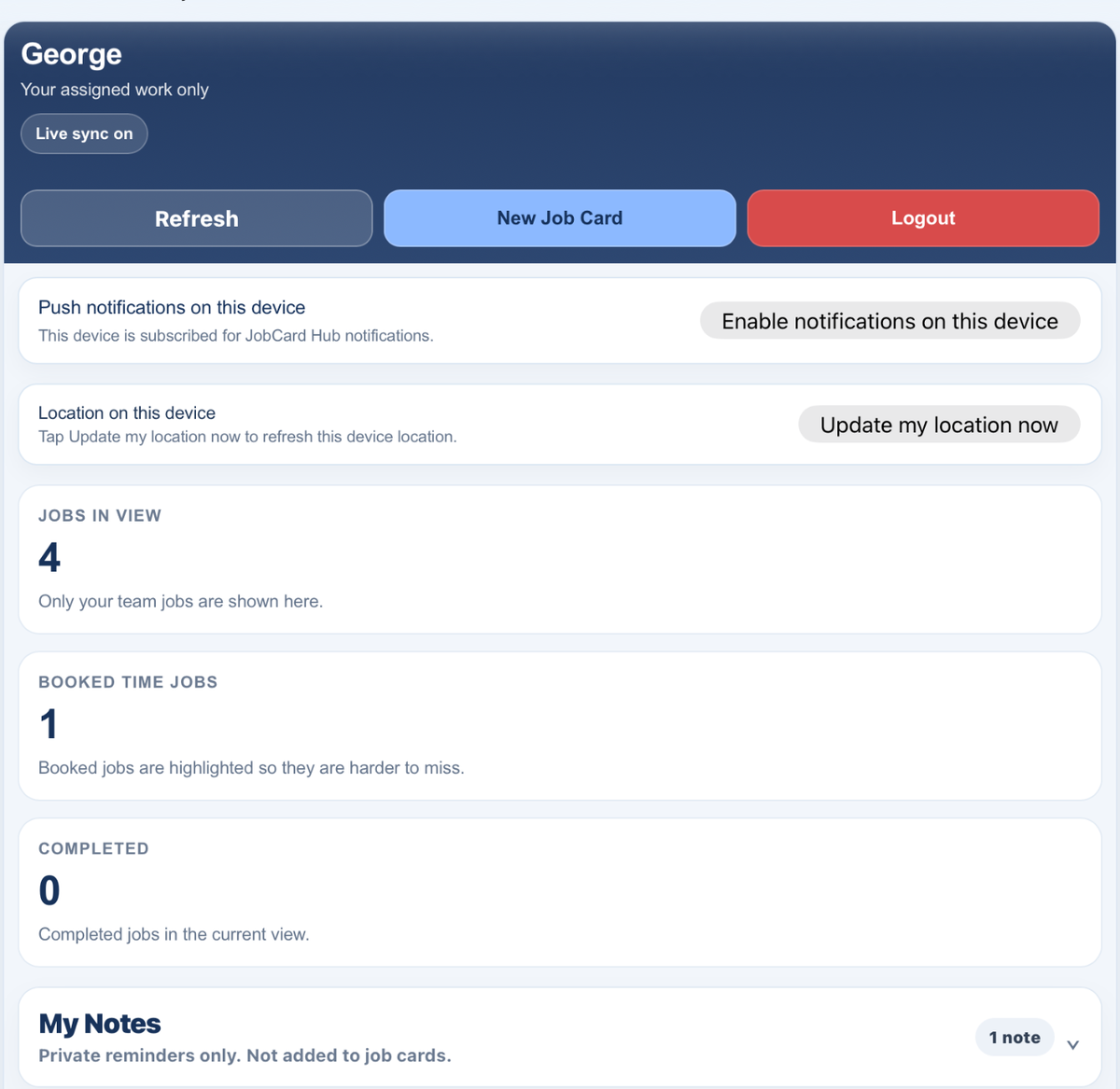
Technicians get their own simple dashboard with the work they need to complete.
Completed work needs proof
Capture work completed, photos, customer signatures, and proper job history.
Business management software built around real service workflows.
Not just a form. Not just a calendar. JobCardHub brings the office, technicians, clients, online job cards, signatures, reminders, quotes, invoices, and updates into one practical cloud-based system.
Digital & online job cards
Create structured online job cards with customer details, addresses, job descriptions, instructions, images, and work completed notes.
Scheduling and dispatch
Plan work by day, assign technicians or teams, and stop jobs from disappearing between phone calls and WhatsApps.
Technician app
Field teams use a simple technician app to see assigned jobs, update statuses, call clients, open directions, add notes, and capture signatures.
Live job statuses
Track unscheduled, scheduled, on the way, on site, completed, needs parts, follow-up, invoiced, closed, and cancelled jobs.
Customer signatures
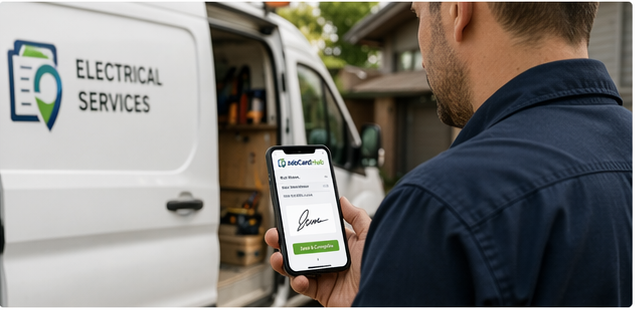
Customers can sign on the technician phone or scan a QR code and sign on their own device.
Photos and proof of work
Attach site photos, completed work details, and sign-off records so the office knows exactly what happened.
Client and job history
Keep a searchable record of clients, job cards, addresses, contact numbers, work done, and job outcomes.
Cloud-based quotes & invoices
Convert job cards into cloud-based quotations or invoices, manage credit notes and purchase orders, and keep lightweight finances connected to the job.
Reminders and updates
Use service reminders, push notifications, and SMS updates to keep jobs moving and customers informed.
From Job Card to Invoice, Without the Chaos.
Give your office and field team one simple workflow to create the job, send it to site, capture proof, and move completed work into quoting or invoicing.
-
Create digital & online job cards Capture customer details, addresses, work required, notes, photos, and instructions.
-
Schedule and assign teams Plan work for today, tomorrow, or later and send it to the right technician.
-
Track live job progress See on the way, on site, completed, waiting on parts, follow-up, invoiced, and closed work.
-
Build searchable client history Find previous jobs, addresses, contact details, signatures, and completed work fast.
-
Cloud-based quotes and invoices Create quotations or invoices from completed work, with credit notes, purchase orders, suppliers, and a lightweight finances tab available when needed.
From call-out to signed job card.
Every job follows a clear path, so the office knows what is happening and technicians know what to do next.
Office creates the job
Add the client, address, job details, schedule date, team, and instructions in one clean workflow.
Technician uses the mobile app
The team sees assigned jobs in the technician app, updates progress, adds photos and work notes, and captures the customer signature.
Office invoices and follows up
Completed jobs are ready to convert into quotations or invoices, with follow-up, service reminders, and long-term client history kept together.
Ready to get your jobs under control?
Check pricing clearly, then sign up when you are ready to start using JobCard Hub in your business.