
One workflow from first call-out to signed, completed and invoiced job.
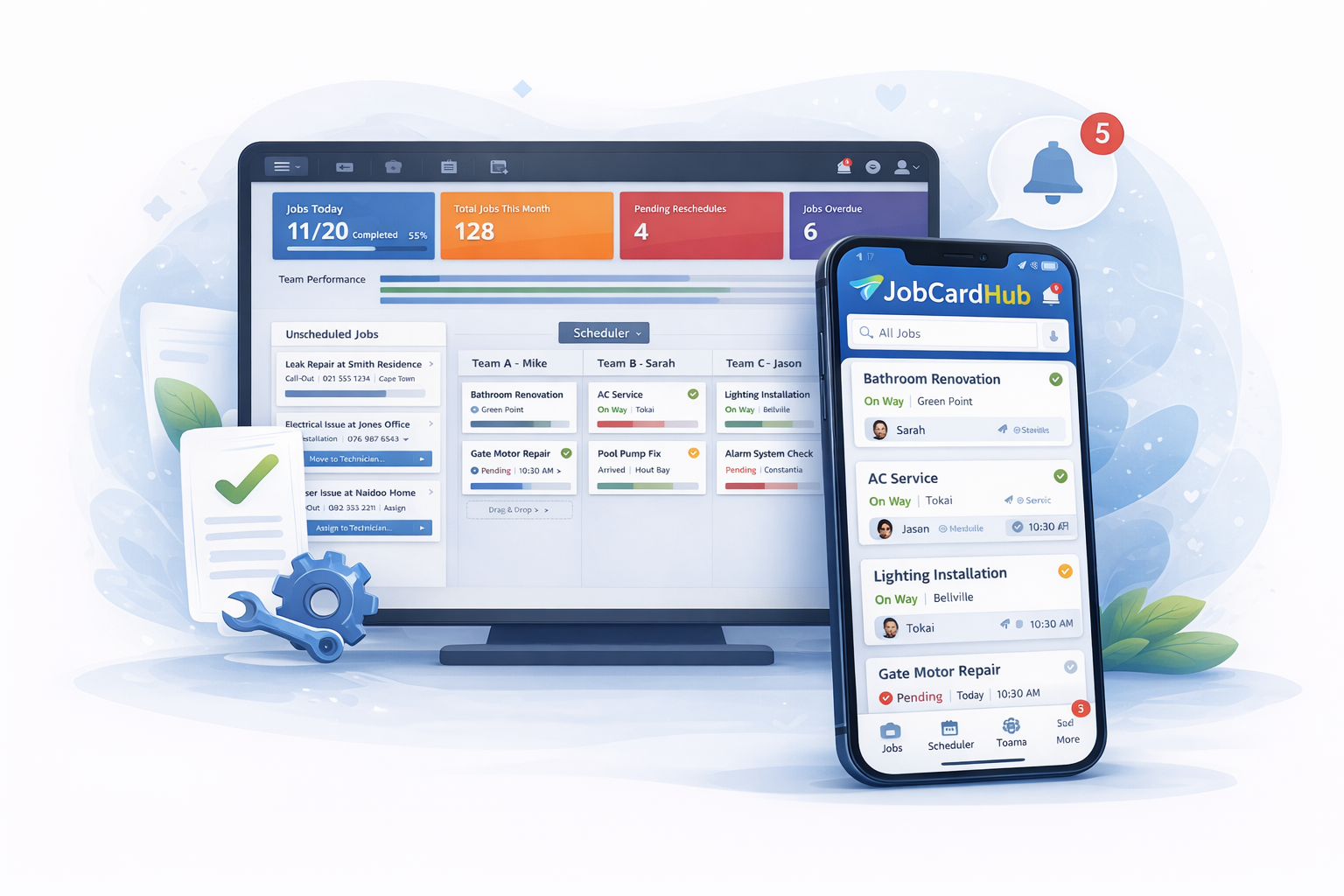
JobCardHub gives your office and technicians one clean system for the whole job journey, so fewer details get lost, updates are clearer, and completed work moves faster to invoicing.
Stop running jobs through paper, memory and message chasing.
These are the everyday admin gaps that make trade businesses slower, harder to manage and more likely to miss things.
- Paper job cards missing from the bakkie.
- Technicians sending incomplete WhatsApp updates.
- Office staff chasing photos, signatures and job notes.
- Follow-ups and service reminders being forgotten.
Customer phones in or requests work
The office captures the client, contact details, address, job description, special instructions and any notes needed before dispatch.
Office creates the digital job card
The job card becomes the single source of truth. No loose page, no random WhatsApp thread, no missing address or unclear instruction.
Schedule and assign the right team
Plan the job for today, tomorrow or a future date, then assign it to the correct technician or team so everyone knows who is responsible.
Technician sees the job on mobile
The technician dashboard shows their own work, client details, address, call buttons, directions, job notes and the actions they need on site.
Status updates keep the office informed
Teams can mark jobs as on the way, on site, waiting on parts, follow-up required, completed and more, so the office does not have to keep chasing updates.
Work notes, photos and signatures are captured
Technicians can record work completed, add job evidence, capture the customer signature on the phone or let the customer scan a QR code and sign on their own device.
Completed jobs are ready for admin
The office can review completed jobs, check the record, prepare invoicing, close the job and keep the full history for future reference.
Follow-ups and service reminders stay visible
Jobs needing parts, return visits or future servicing can be tracked so recurring work and unfinished jobs do not disappear.
The office gets control of the full job pipeline.
Create, assign, monitor, invoice and follow up without hunting through paper books or message threads.
- Create and manage job cards
- Schedule teams and technicians
- See job status by workflow stage
- Manage client and job history
- Review completed work before invoicing
- Track follow-ups, needs-parts and overdue work
Technicians get the job info they need on site.
Simple mobile actions help teams update the office without complicated admin or long training.
- View assigned jobs on mobile
- Open directions and call clients quickly
- Update on-the-way and on-site status
- Add work completed notes and photos
- Capture customer signatures or QR signing
- Use private notes for personal reminders
Know where every job stands.
Track work through the stages that matter to a service business, from unscheduled jobs to completed, invoiced and closed records.
Customer sign-off
Capture a signature on the technician phone or let the customer scan a QR code and sign on their own device.
Photos and work evidence
Attach site photos and completed-work details so the office can see what happened before invoicing.
Reminders and follow-ups
Keep future service work, return visits and parts-needed jobs visible instead of relying on memory.
That is the workflow your business should be running.
Cleaner job cards, clearer technicians, better records and fewer admin gaps between booking and invoicing.